
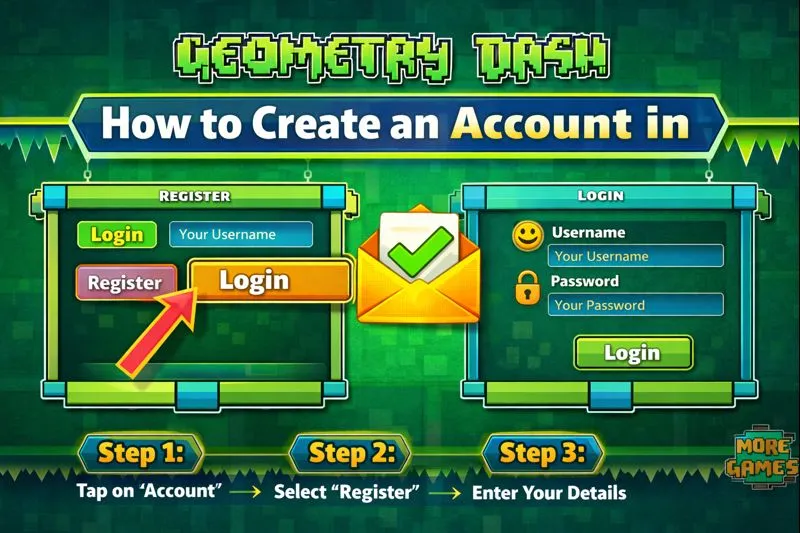
How to Create a Geometry Dash Account (Step‑by‑Step Tutorial)
Ready to jump into the fun world of Geometry Dash? Before you start running, jumping, and making your own levels, you’ll need to set up an account. If you have no idea how to create account. Don’t worry, it’s very simple and easy. In this guide, I’ll walk you through each step to get you set up in no time.
Whether you’re on your phone, PC, or playing through a browser, I’ve got you covered. I’ll show you how to register, log in, and verify your email so you can dive straight into the action.
Step 1 — Open Geometry Dash

First, open the Geometry Dash game on your device.
You can play on:
Make sure your game is updated to the latest version so the account options work correctly.
Step 2 — Go to Settings
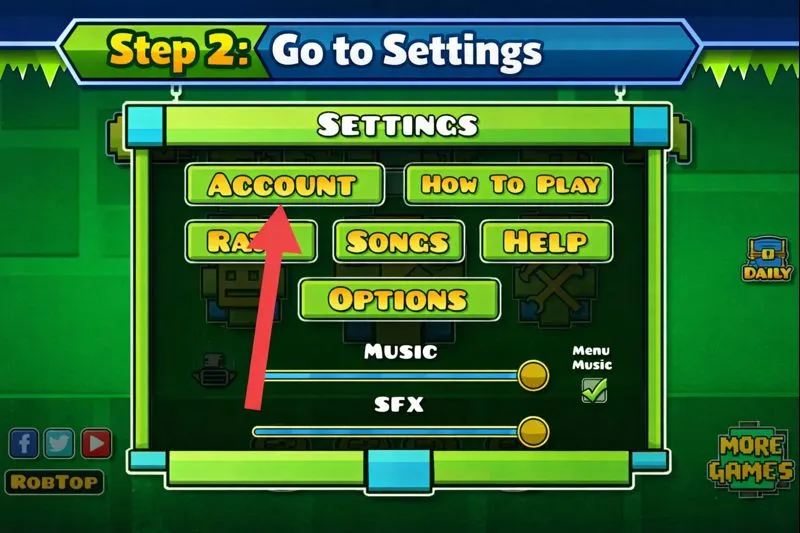
Once the game opens:
- Look for the Settings icon (⚙️).
- Tap or click it to open Settings.
That’s where account options are hidden.
Step 3 — Tap on “Account”
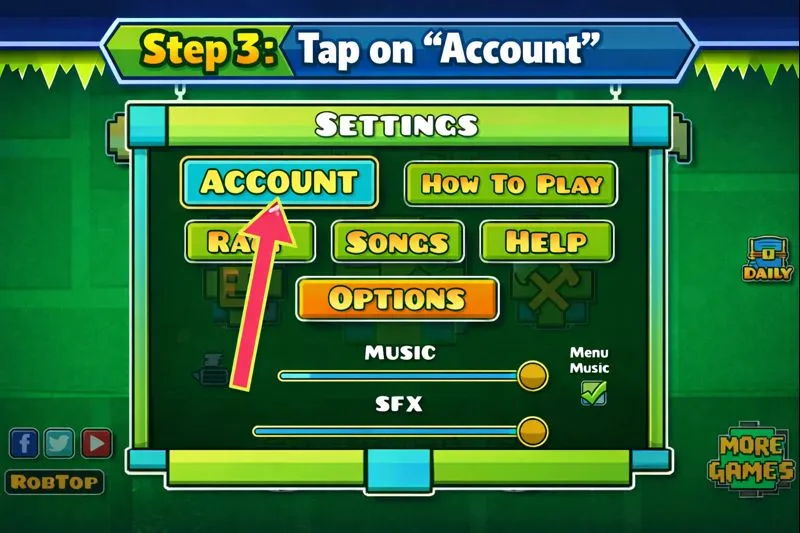
Inside settings:
- Find the “Account” button
- Tap or click on it
Here you will see options like Login, Register, and Help.
Step 4 — Select “Register”
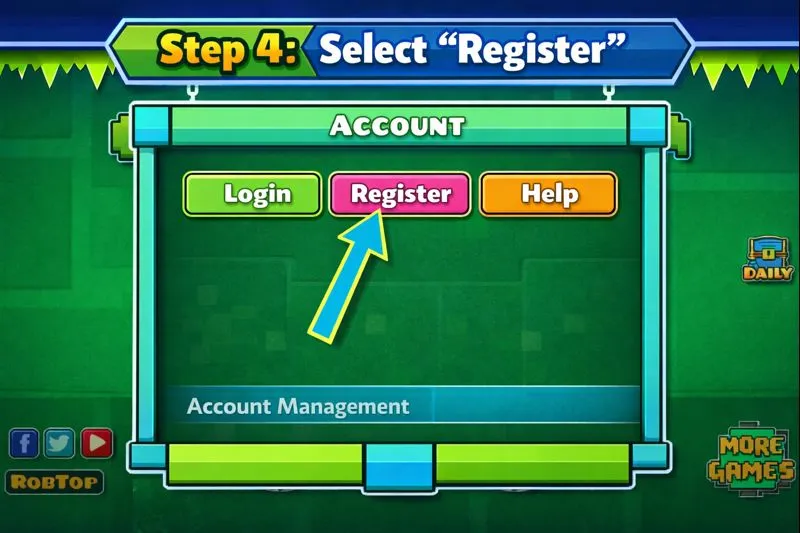
In the Account section:
- Tap Register
- You will see a form asking for your details
This starts creating your official Geometry Dash account.
Step 5 — Enter Your Details
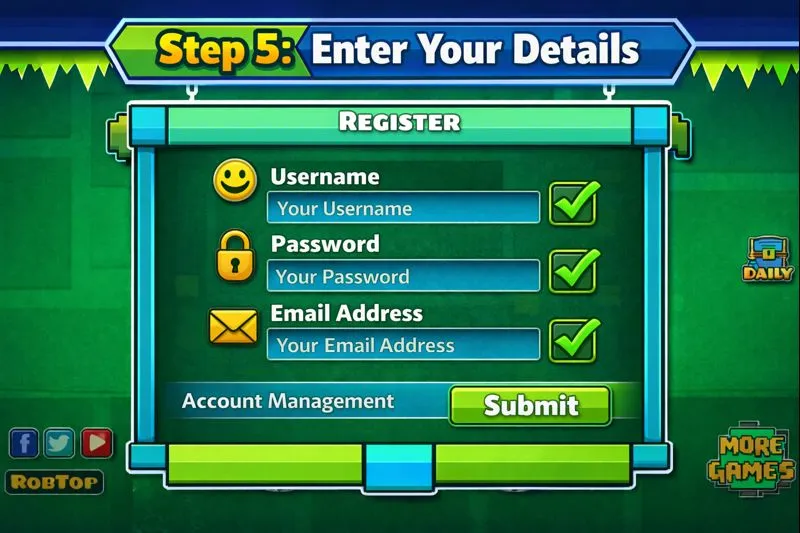
Fill out the registration form:
- Username – Choose a unique name (no spaces)
- Password – Strong and secure
- Email Address – Use a valid one (preferably Gmail)
Make sure the email is correct — verification depends on this.
Step 6 — Verify Your Email
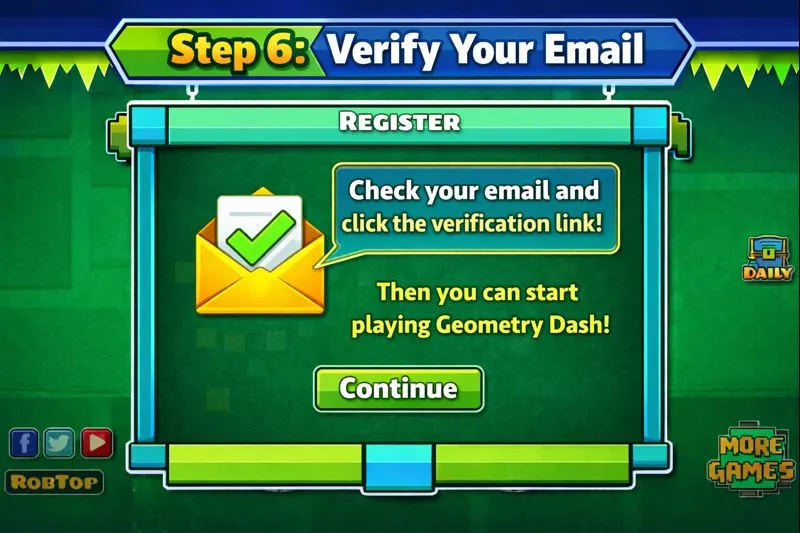
After submitting the form:
- Open your email inbox
- Find the verification email from Geometry Dash
- Click the activation link
This confirms your account so you can log in and play online. If you don’t see the email, check your spam or junk folder.
Step 7 — Log In With Your New Account
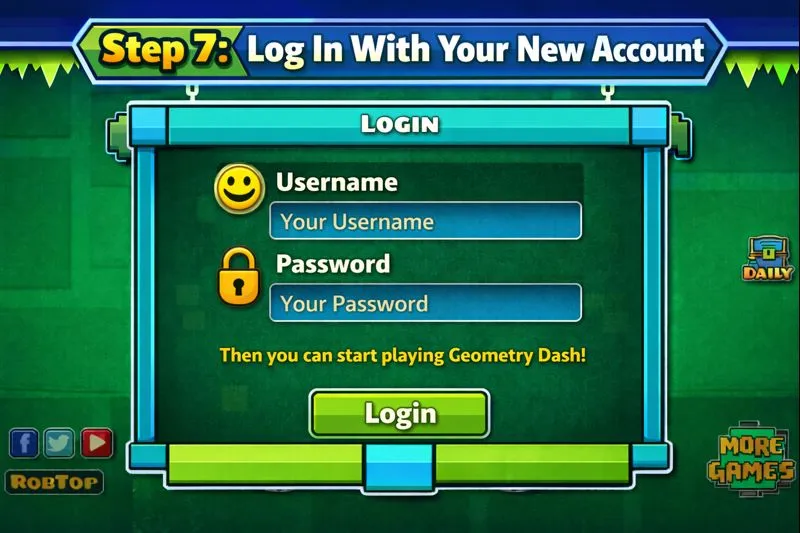
Now that verification is complete:
- Go back to Geometry Dash
- Open Settings → Account
- Tap Login
- Enter your username and password
Now you’re ready to enjoy all online features!
Troubleshooting: Common Issues
Here are common account problems and how to fix them:
1. Email Not Accepting?
Use another valid email — preferably Gmail.
2. No Verification Email?
Check spam, or resend the link from the game.
3. “Invalid Email” Error?
Make sure you typed the email correctly, with the right domain.
4. Can’t Login?
Check your password or use Forgot Password to reset.
Tips for a Secure Account
- Use a strong password
- Don’t share your login details
- Save your progress via cloud to avoid data loss
This keeps your account safe and always accessible.
Final Thoughts
Creating a Geometry Dash account is quick, easy, and gives you access to the full game experience including saving progress and sharing levels with the community. Just follow the simple 7 steps above.
Frequently Asked Questions (FAQs)
1. Can I Play Geometry Dash Without an Account?
Yes! You can play, but you won’t save progress or upload levels.
2. Is a Geometry Dash Account Free?
Yes, it’s free to register, but the full game may cost money on some platforms.
3. What If I Lose My Password?
Use the “Forgot Password” option and the registered email to reset it.